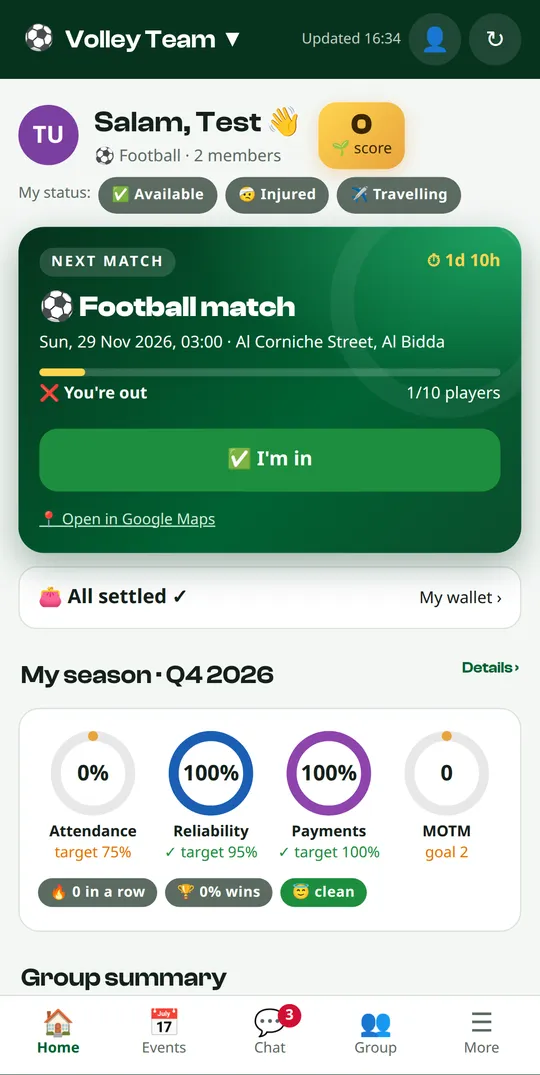
FreeNo adsInvite-only groups

Your sports group, sorted.

Who's coming, who's on the waiting list, who paid. Balanced teams, group chat and Man of the Match, all in one tap.

Prefer the APK? Install guide
Problem → solution

From 200 WhatsApp messages to one tap.

Before
KarimWho's in for Thursday? 🏐
YacineMe +1 maybe
How much is the court again??
SofianeDid anyone pay Amine?
AmineStill waiting for 4 people 😅
NadirCan I bring a friend?
KarimWe're 15 now, who's out?
With Beenatna
🏐 Thursday Volley · 8 PM12 / 12
Paid 10 of 12QAR 25 / player
2 on waiting listTeams balanced⭐ MOTM vote open
Features

Everything your group needs, in one place.

Built with real weekly groups: volleyball, football, padel, running and more.

📅

Events & line-up

Create a match in seconds. Players join, the list fills, extras go to the waiting list automatically.
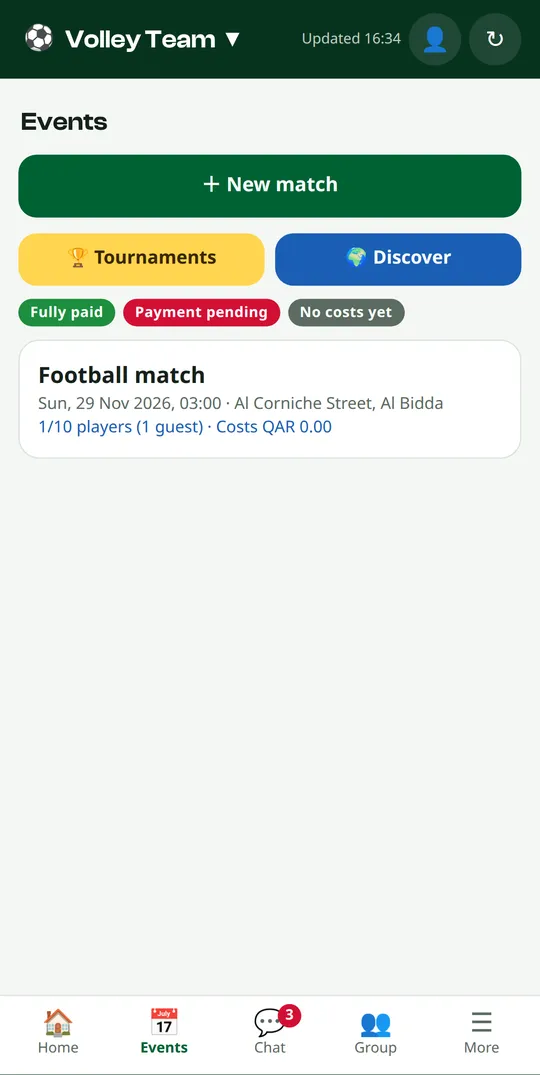
Events list in Beenatna
💸

Fair cost split

Court cost shared fairly, and you always know who paid.

⚖️

Team builder

Balanced teams in one tap. No more arguments.

💬

Group chat

@mentions, photos and voice notes, right next to your matches.
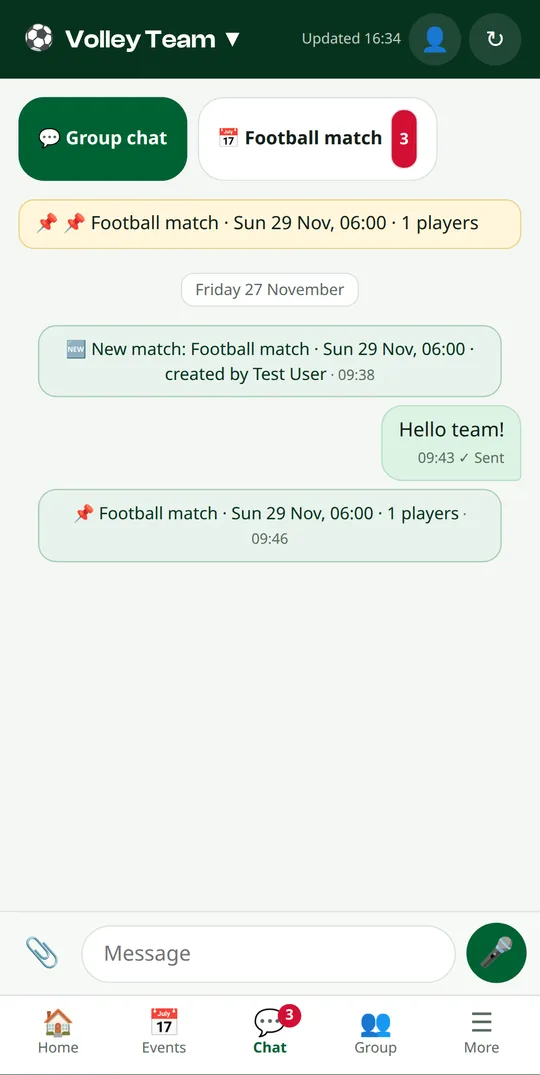
Group chat in Beenatna
⭐

Points & Man of the Match

Votes, a points table and season stats.

🏆

Tournaments

Run a cup with your group, from draw to final.

⌚

Workout import

Bring runs, rides and hikes in from Health Connect or Strava as your event result.

⏳

Waiting list that moves itself

Someone drops out? The next player is moved in and notified.

How it works

Three steps. Then just play.

The admin creates a group

Pick the sport, the player limit and the currency.

Players get invited

Your admin adds you with your mobile number. Groups stay private.

Everyone just plays

Join events, pay your share, vote for Man of the Match.

🏐 Volleyball⚽ Football🎾 Padel🏃 Running🚴 Cycling🥾 Hiking🏀 Basketball🏊 Swimming🎯 Petanque+ any activity
For group admins

Run the group, not the spreadsheet.

  • Line-up control with player order and substitutes
  • Payment tracking and automatic reminders
  • Balanced teams, scores, fair-play and yellow cards
  • One place for chat, location and costs
Ask us to start your group

Who still owes? Kouhh. 👀

YacineQAR 25
NadirQAR 50
SofianeQAR 25
Everyone else✅
Trust

Your group. Your data.

🆓Free

No subscription, no hidden fees.

🚫No ads

Nothing between you and your game.

🔒Never sold

Your data stays in your group. Privacy policy

🗑️Delete anytime

Remove your account and data whenever you want. How

Install in a minute

Get Beenatna on your phone

Join the Google Play test on Android, use the web app on iPhone and computer, or install the APK directly.

Android

Install the APK in two minutes with the guide below. Google Play is coming soon.

⬇ Install on Android
Already using the APK? Uninstall the website APK before installing from Google Play. Your account stays the same: same phone number, same PIN.

iPhone: open the web app in Safari, tap Share › Add to Home Screen.

Download

Open this page on your Android phone and tap "Download the APK".

Allow the install

If Android asks, allow your browser to "Install unknown apps", then tap Install. Older VolleySplit versions update in place.

Register

Open Beenatna and register with your name, mobile number and a PIN. Email is optional.

Join your group

Your admin adds your number to the group, or you create your own group for any activity.

📲 Android install guide

First install (2 minutes)
  1. Open beenatna.pplx.app in Chrome or Samsung Internet on your Android phone and tap Download the APK.
  2. If Chrome says the file "might be harmful", tap Download anyway. This warning shows for every app that isn't from the Play Store.
  3. Tap the downloaded file (notification bar, or the Files › Downloads app).
  4. Android asks to allow installs from this source: tap Settings, switch on Allow from this source, then go back.
  5. Tap Install. If Google Play Protect shows "Unsafe app blocked" or "App scan", tap More details › Install anyway (or Scan app, then Install).
  6. Tap Open, then register with your name, mobile number and a PIN.
Updating to a new version

Download the new APK from this page and install it over the old one. Your account, groups and history are kept, because everything is stored on the server. You never need to uninstall first.
Problems?
  • "App not installed": you probably have a very old copy signed differently. Uninstall it, then install again; log in with the same number and PIN and all your data comes back.
  • Nothing happens when tapping the file: open the Files app › Downloads and tap Beenatna-5.4.1.apk there.
  • Not enough storage: the app needs about 5 MB free.
  • No notifications: open Beenatna › More › Notification settings and allow notifications.
  • Can't install at all (work phone or locked device): use the web app instead. It works the same: open the web app.
💬 Send this guide on WhatsApp
Beenatna app icon
Beenatna 5.4.1Android 7.0+ · signed release · self-enrolment, teams, group wallet
⬇ Download the APK
Beenatna app icon
iPhone, iPad & computerOpen the web app, log in with the same number and PIN. On iPhone: Safari › Share › Add to Home Screen.
🍏 Open on iPhone
Beenatna app icon
AdminOwner dashboard: users, approvals, usage and shares. Sign-in is limited to the owner's mobile number.
🛠 Open Admin
Quick user manual

English · العربية · Français

  1. Install & registerDownload the APK from this page and install it (allow "Install unknown apps" if asked). Open Beenatna, enter your name, mobile number, a PIN and optionally your email, then tap Register.
  2. Join or create a groupYour admin adds you with your mobile number. To start your own group, tap the group name at the top, then "+ Create a new group". Choose the activity, the player limit and the currency.
  3. See the matchesThe Matches tab lists every match. Green = fully paid, red = payment pending. Tap a match to see players, substitutes, guests, costs, location, teams and score.
  4. Pay your shareOpen the match and tap "I've paid — mark as paid". When the admin confirms, you get a WhatsApp message and a notification. If you haven't paid 24 hours after the match you'll receive: "Hey, Hbibna, rigli rouhek".
  5. Follow your logThe My log tab shows every match you played with date, time, team, result 🏆 and payment status.
  6. For adminsCreate matches, add costs, pin the location, pick players in order (extras become substitutes), make teams, record the score, give 🏅 fair-play or 🟨 yellow cards (2 yellows = banned from the next match) and confirm payments. The Home tab shows the "Kouhh" list of who still owes what.
  7. Your profileMore › My profile: change your name, email, photo or emoji avatar. More › About has the full documentation.
Contact

Talk to the admin.

Questions, a new group, or a problem? Send a short message.

Opens your email app with your message ready to send.
FAQ

Questions, answered.

Is Beenatna free?

Yes. Beenatna is completely free, with no ads and no subscription.

How do I join a group?

Groups are invite-only. Ask your group admin to add your mobile number, then log in with your number and PIN.

Can I use it on iPhone?

Yes. Open the web app in Safari and tap Share › Add to Home Screen. It works like an app.

Does it work with Strava?

Yes. You can import runs, rides and hikes from Strava or Health Connect as your result for an event.

Who sees my data?

Only the members of your groups. Your data is never sold or used for ads.

How do I delete my account?

Follow the steps on the privacy page. Your account and data are removed.

Which sports are supported?

Volleyball, football, padel, running, cycling, hiking, petanque and any other group activity.

Who makes Beenatna?

Beenatna is a product of Auress Labs, an independent studio building simple, honest apps for real communities.

Ready for your next match?

Free, no ads. Your group, sorted in a minute.